

ChatGPT Organizer (CGO)

ChatGPT Organizer (CGO) is a Chrome browser extension that gives you visibility and control over your own ChatGPT conversations.
Why creating this extension?
ChatGPT makes it easy to create conversations — but hard to manage them over time.
CGO adds a structured side panel to inspect, organize, and safely clean up chats and projects, with full visibility and explicit user control.
Real user frustrations with the existing ChatGPT UI
Users regularly report limitations in the default ChatGPT interface that make it hard to manage long-running work or projects:
“After creating around 20 projects, older ones disappear from the list. Conversations still exist but are no longer visible in projects.”
— Reddit user, r/ChatGPT“This appears to be a UI limitation. The interface only shows a limited number of conversations per project.”
— Reddit user, r/ChatGPT
In many technical discussion threads, users also highlight the lack of reliable context and project control, leading them to use external tools or workarounds just to keep organized:
“…I use external interfaces with project awareness features, because the linear chat UI doesn’t scale for complex tasks.”
— paraphrased from Reddit user, r/ChatGPT
These examples show why ChatGPT Organizer was created: to surface structure, inspection, and control that the default UI does not provide.
ChatGPT Organizer exists precisely to make these hidden structures visible, inspectable, and auditable — without relying on UI assumptions.
Want to see how the extension looks like?
This page includes an interactive demo of ChatGPT Organizer.The demo is an interactive simulation of the extension’s interface, embedded directly on this page.
Live Demo
Here’s a safe, live preview — explore if you want :
All content shown here is mocked and runs entirely in the browser.
It is safe to explore and cannot affect anything.
What this extension does — and what it does not
What it does
- Runs entirely in your browser
- Uses your existing ChatGPT login session
- Retrieves chats and projects via the same backend APIs used by the ChatGPT UI
- Fetches data only when you explicitly ask for it
- Keeps a local, auditable action log
- Stores cache, logs, and statistics locally on your device
- Never modifies anything silently
What it does not do
- No credential storage
- No external servers
- No cloud sync
- No background scraping
- No automatic deletions
- No fake “undo”
- No promises that deletions are reversible
If something is deleted, it is deleted because you clicked and confirmed it.
Interface overview
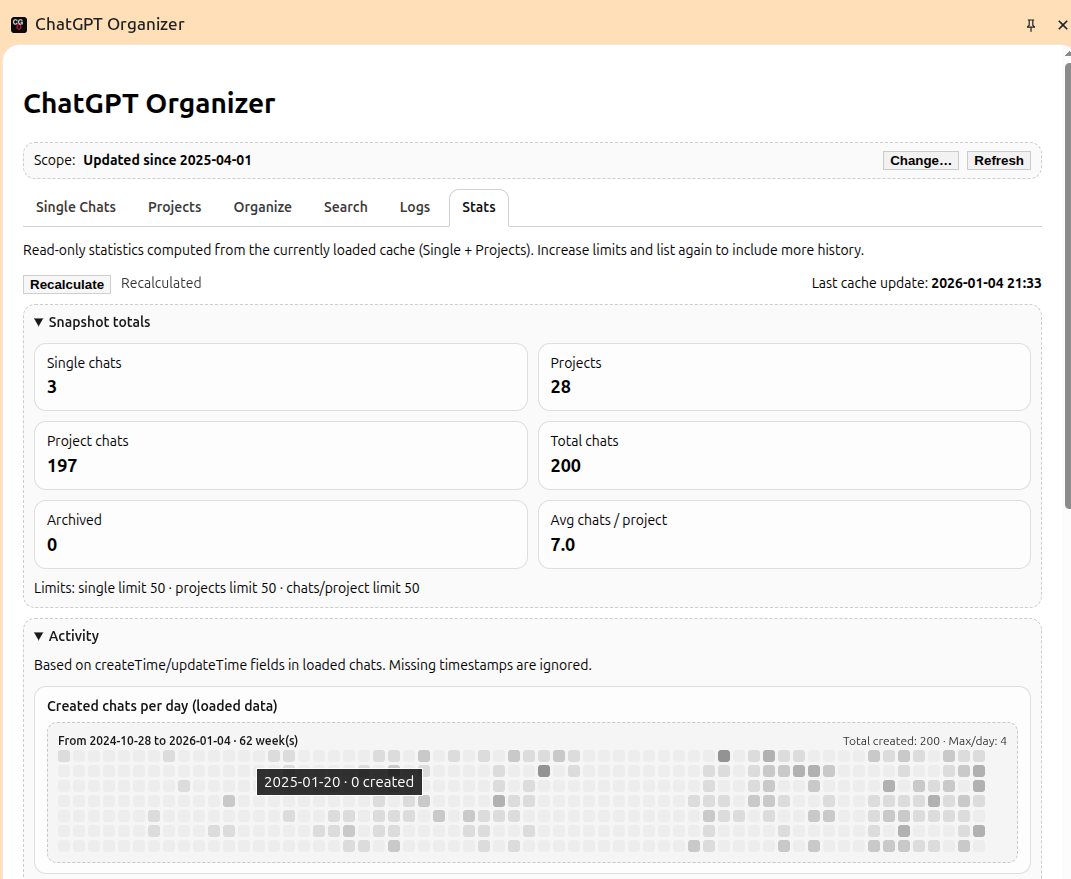
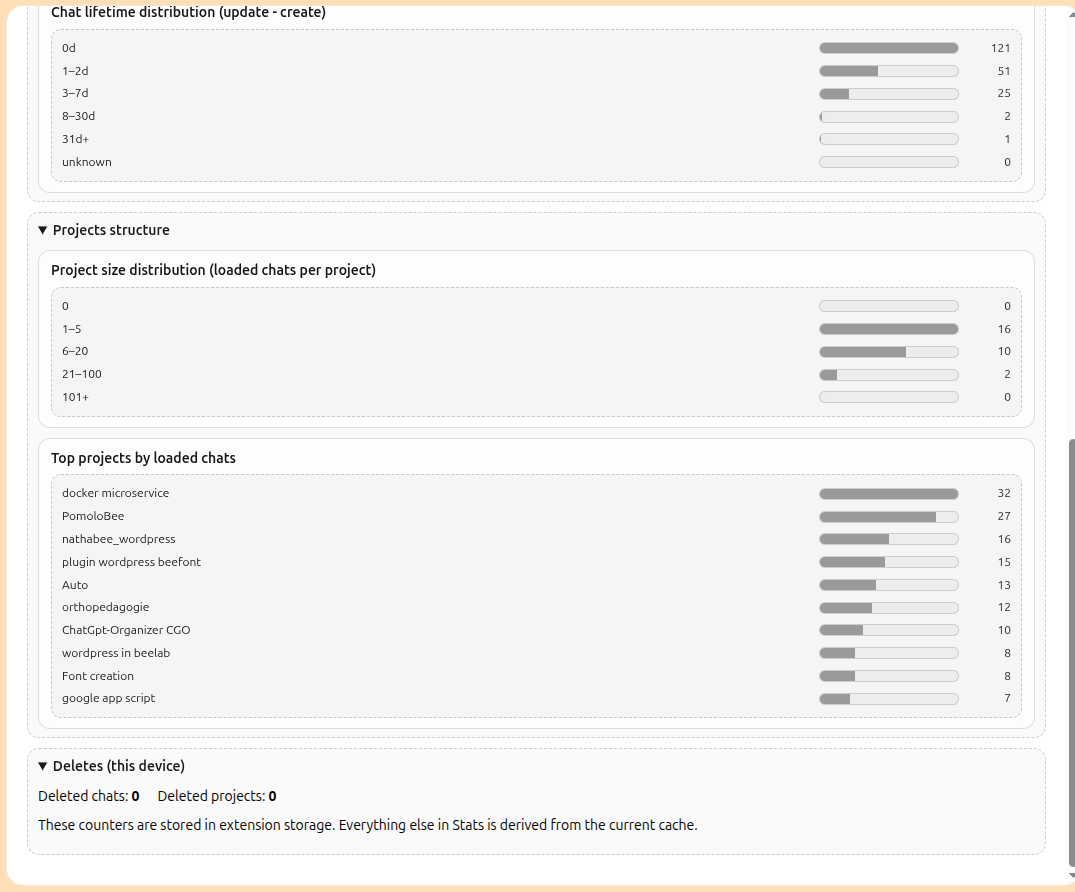
The extension appears as a side panel inside ChatGPT, organized into explicit tabs.
Each tab has one responsibility only.
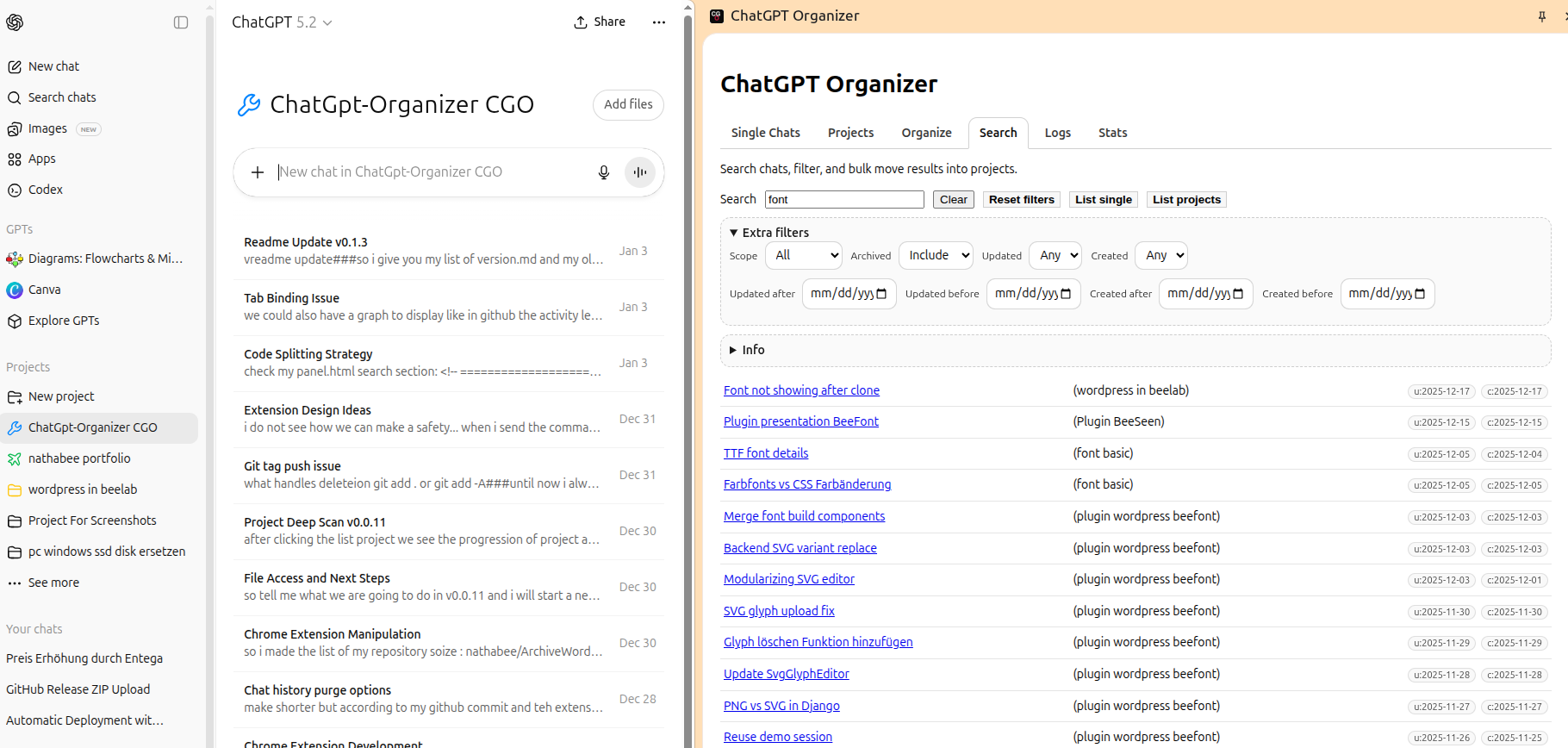
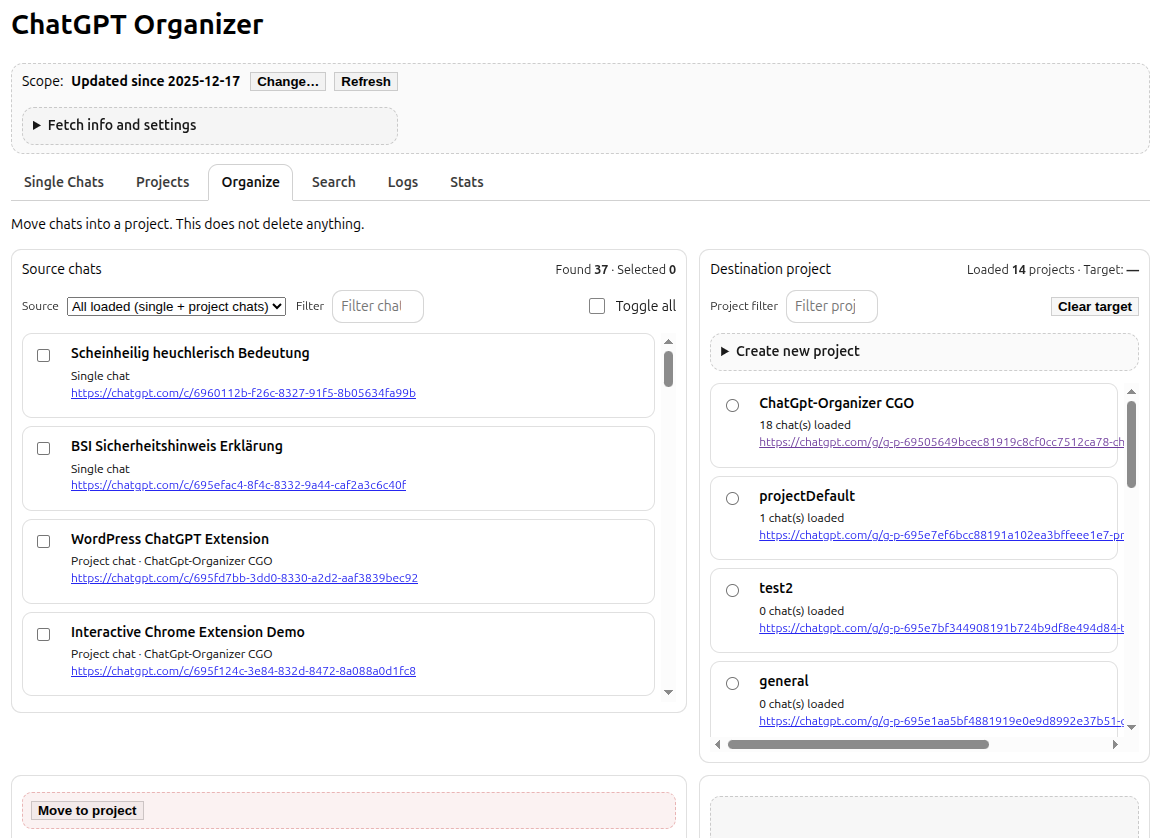
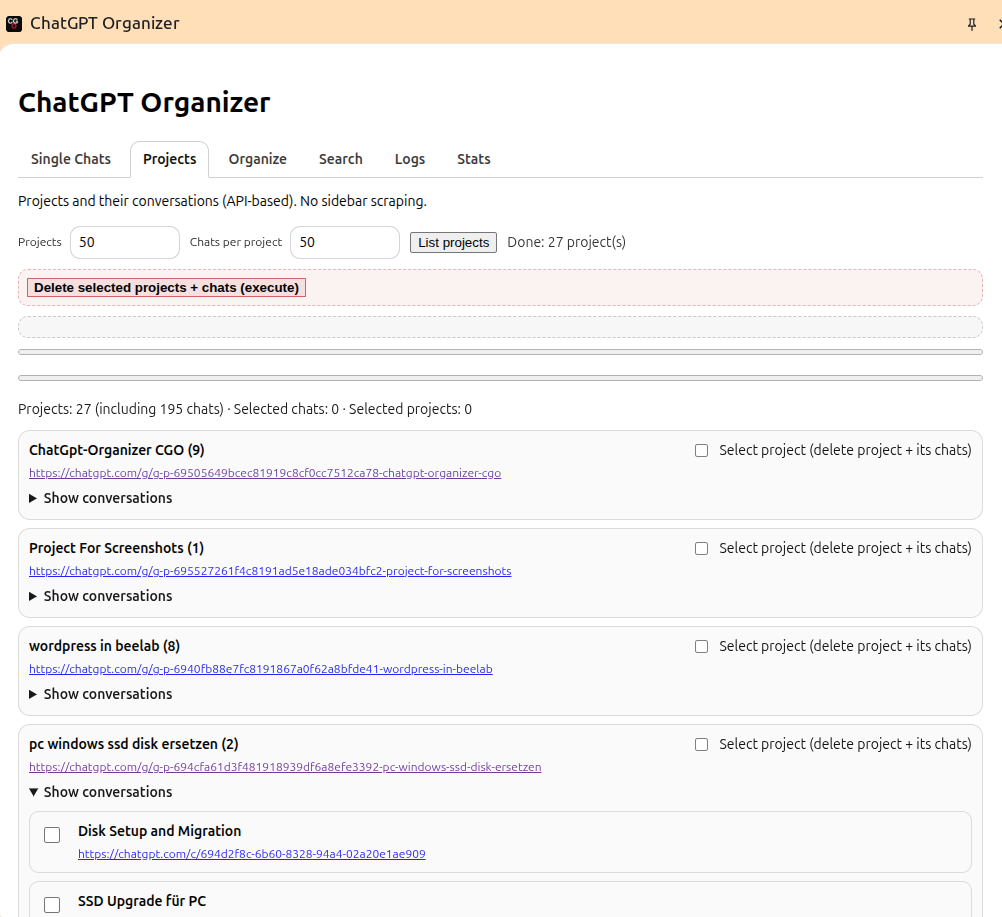
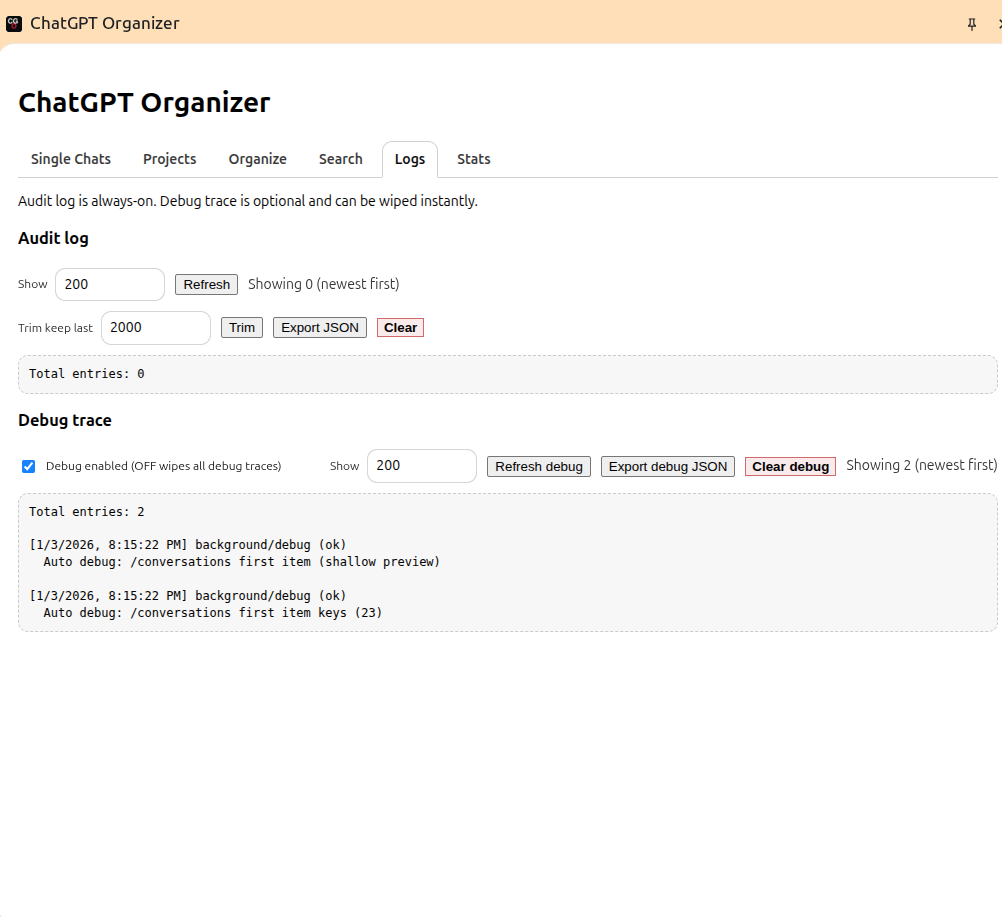
Tabs at a glance
| Tab | Purpose |
|---|---|
| Single | Inspect and delete standalone (non-project) chats |
| Projects | Inspect projects and conversations, create projects |
| Search | Search across the loaded cache only |
| Stats | Read-only statistics from current cache |
| Logs | Audit log and debug trace |
| Organize | Move and reorganize chats, create projects |
Download & installation
The extension is available “unlisted” by google web store :
👉 https://chromewebstore.google.com/detail/dmnjphiengkmcpodnejmejkahfohikbf
- Install the extension in Chrome (or Edge)
- Open ChatGPT → log to you account
- Activate the CGO Extension →open the side panel.
That’s it.
Project & documentation

Full documentation, Demo and changelog are maintained on the project page.
License
MIT License
Source code is available on GitHub.